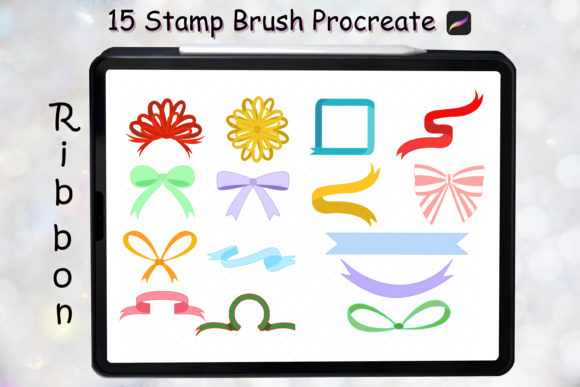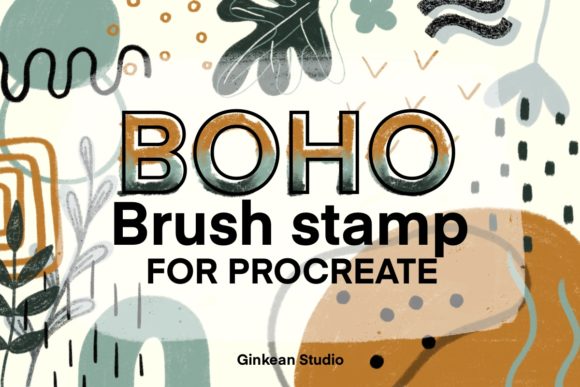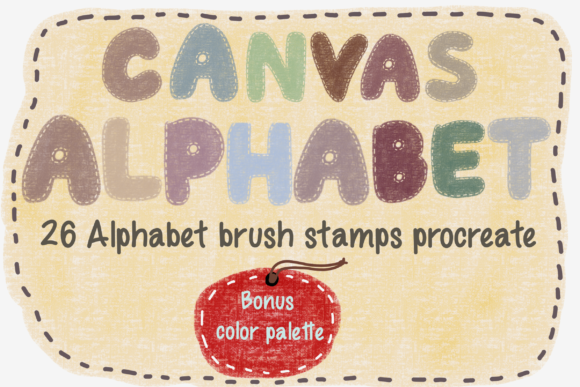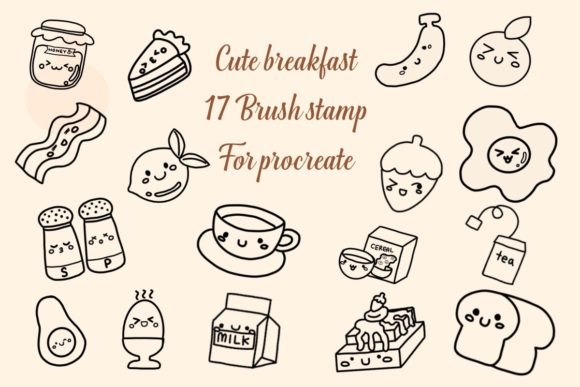
Elevate Your Art with Frame Brush Stamps
Digital art often feels limitless, but that infinite canvas can sometimes be intimidating. Where do you start? How do you give your piece structure without spending hours drawing intricate borders by hand? This is where Frame Brush Stamps change the game for creators using Procreate. Whether you are a seasoned illustrator, a small business owner creating social media graphics, or a hobbyist looking to spruce up your digital planner, these tools offer an immediate way to add polish and professionalism to your work.
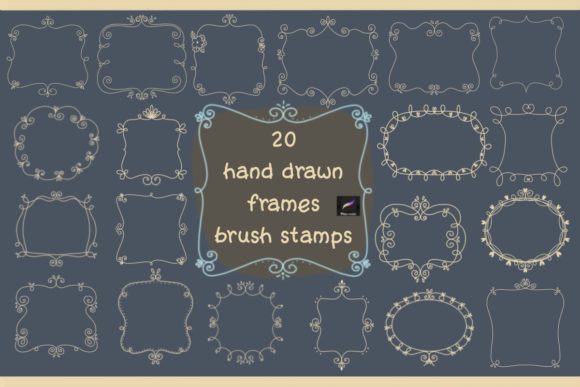
Imagine having a collection of twenty unique, hand-crafted frames at your fingertips, ready to transform a blank space into a finished composition with a single tap. That is exactly what this instant digital download provides. It is not just about saving time; it is about elevating the visual language of your projects. From rustic wreaths perfect for holiday cards to modern geometric borders ideal for tech blogs, the versatility of these brush stamps allows you to adapt your style to any occasion instantly.
What Makes These Brush Stamps Essential?
At their core, Frame Brush Stamps are pre-designed elements imported directly into your Procreate brush library. Unlike standard brushes that paint a continuous line, stamp brushes deposit a complete image or shape onto your canvas. The specific set we are discussing includes twenty distinct files, packaged conveniently in a single ZIP archive. Once downloaded and installed, they behave like any other tool in your arsenal but with the power of complex illustration built-in.
The strength of this tool lies in its efficiency. In a traditional workflow, creating a detailed floral border or a textured frame might take thirty minutes of meticulous layering and masking. With these stamps, that same result takes seconds. This efficiency does not come at the cost of quality. Each stamp is designed with high-resolution textures and thoughtful composition, ensuring that when you scale them up or down, they retain their crispness and character.
Furthermore, because these are native Procreate brushes, they integrate seamlessly with your existing workflow. You can change their color, adjust their opacity, blend them with other layers, and even warp them to fit perspective. This flexibility means you aren't stuck with a static image; you are working with a dynamic element that responds to your creative direction.
Real-World Applications for Creators and Professionals
The utility of Procreate Brush stamps extends far beyond simple decoration. Different industries and creative pursuits leverage these tools in unique ways to solve specific visual problems.
- Social Media Marketing: For entrepreneurs and marketers, consistency is key. Using these frames to border product photos or quote graphics creates a cohesive brand identity across Instagram posts and stories. A consistent frame style becomes a recognizable signature for your audience.
- Digital Planning and Bullet Journaling: The rise of digital planning has created a demand for aesthetic functional elements. These wreath and frame stamps are perfect for decorating monthly covers, highlighting important dates, or framing weekly goals in apps like GoodNotes or Notability (after importing via Procreate).
- Greeting Card Design: Freelance designers can rapidly prototype and finalize greeting cards for various holidays. The included wreath designs are particularly useful for Christmas, Thanksgiving, or wedding invitations, allowing for quick customization of text and background colors.
- Educational Materials: Teachers and educators creating digital worksheets or presentation slides can use these frames to highlight key information or create engaging headers that capture students' attention without looking cluttered.
- Print-on-Demand Products: Artists selling on platforms like Redbubble or Etsy can use these stamps to create instant mockups or actual designs for mugs, tote bags, and phone cases, significantly speeding up their product launch cycle.
Maximizing Efficiency and Aesthetic Appeal
When you incorporate Frame Brush Stamps into your routine, the benefits ripple through your entire production process. The most obvious advantage is speed. By eliminating the need to draw repetitive border elements, you free up mental energy to focus on the core message or the central subject of your artwork. This shift in focus often leads to higher quality results because you aren't rushing to finish the peripheral details.
Beyond speed, there is a significant boost in professional appearance. Amateur designs often suffer from inconsistent spacing or shaky lines in their borders. These pre-made stamps provide mathematical precision and artistic balance that can be difficult to achieve freehand. They act as a safety net, ensuring that even your quick drafts look polished and intentional.
Consider the aspect of branding. If you run a blog or a small online shop, using a specific set of frames consistently helps build brand recognition. When a follower sees that specific floral border or geometric frame, they immediately associate it with your content. This subtle psychological cue strengthens your market presence without requiring expensive advertising.
Getting Started: Installation and Usage
One of the best features of this product is its simplicity. There is no complex software to learn or lengthy setup process. As an instant digital download, you gain access to your tools immediately after purchase. Here is a straightforward guide to getting your new Procreate Brush stamps up and running:
- Receive Your Files: Shortly after your order, you will receive an email containing a secure download link. Click this link to access your files.
- Download the Archive: Save the provided ZIP file to your device. If you are on an iPad, this will usually land in your "Files" app under the "Downloads" folder.
- Extract the Content: Tap the ZIP file to unzip it. Inside, you will find 20 individual brush files, typically with the extension .brush or .brushset.
- Import to Procreate: Open the Procreate app. Navigate to the Brush Library (the paintbrush icon). Tap on any category (or create a new one named "Frames"). At the top of the brush list, tap "Import." Select the 20 brush files you just extracted. They will instantly appear in your library, ready to use.
Once imported, the workflow is intuitive. Create a new layer beneath your main artwork or text, select the desired frame stamp, and tap anywhere on the canvas. The frame appears instantly. You can then use the transform tool to resize, rotate, or distort the frame to perfectly suit your composition.
Making the Right Choice for Your Workflow
While digital tools are abundant, selecting the right assets requires a bit of strategy. When evaluating Frame Brush Stamps, consider the versatility of the designs. A good set should offer a mix of styles—some organic and flowery, others structured and linear—to ensure you aren't limited to a single aesthetic. The set described here offers twenty variations, providing a robust palette for different moods and projects.
Also, think about resolution. Since these are intended for both screen display (Instagram, web) and potential print (cards, planners), the underlying texture of the brush matters. High-quality stamps maintain their integrity even when scaled up for larger formats. Always test a stamp on a fresh canvas to see how it interacts with your preferred blending modes and colors.
Finally, remember that these tools are meant to serve your creativity, not replace it. They are foundational elements upon which you build your unique voice. Use them as a starting point, modify them, combine them, and experiment. The true value of digital planner accessories and art stamps lies in how they empower you to produce more work, faster, and with greater confidence.
In a digital landscape that moves quickly, having reliable, high-quality assets like these frame stamps is a strategic advantage. Whether you are crafting a heartfelt card for a friend, designing a marketing campaign for your business, or simply organizing your life in a digital journal, these tools provide the structure and beauty needed to make your work stand out.