Mastering the Digital Canvas: A Comprehensive Guide to Paint Brush Stroke Assets
In the rapidly evolving world of digital design, the line between traditional artistry and modern technology has become increasingly blurred. At the heart of this fusion lies a simple yet powerful element: the paint brush stroke. Whether you are a seasoned graphic designer, a small business owner creating your own marketing materials, or a hobbyist exploring the world of digital crafts, understanding how to utilize high-quality brush stroke assets can transform your creative output. This guide explores the significance of these digital tools, their practical applications across various industries, and why having access to multiple file formats is essential for modern creativity.
What Exactly Are Digital Brush Strokes?
At their core, digital paint brush strokes are graphical representations of marks made by a physical brush. However, unlike a wet painting on canvas, these are vector or raster files designed to be manipulated within software environments. They capture the texture, flow, and organic imperfection of hand-painted art without the mess or the permanence of traditional media.
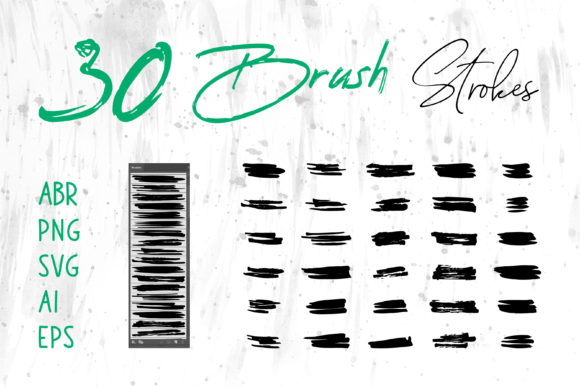
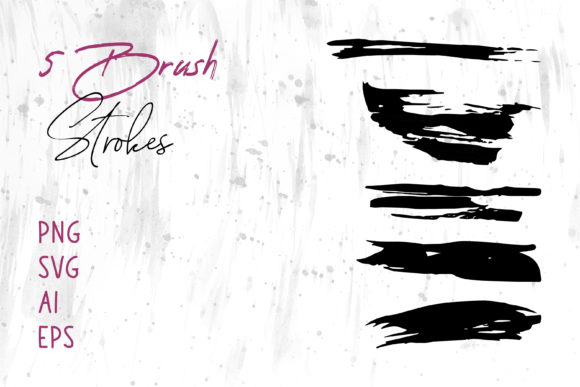
When you download a collection labeled Brush Strokes.ai, you are acquiring a toolkit of pre-made artistic elements. These files allow you to inject human warmth and artistic flair into projects that might otherwise look sterile or overly corporate. The beauty of these assets lies in their versatility; they can be subtle background textures, bold typographic underlines, or the central focus of a logo design.
The Importance of File Formats: PNG, SVG, AI, and EPS
One of the most common misunderstandings among beginners is that all image files are created equal. In professional design, the file format dictates what you can do with the image. A robust collection of brush strokes will include a variety of formats to ensure compatibility across different platforms. Here is why receiving files in PNG, SVG, AI, and EPS formats is crucial:
- PNG (Portable Network Graphics): These are raster images that support transparency. They are perfect for quick use in programs like Microsoft Word, PowerPoint, or web browsers where you need the image to sit cleanly over a background without a white box around it.
- SVG (Scalable Vector Graphics): Ideal for web design, SVGs remain crisp at any size. They are code-based images that load quickly and look sharp on high-resolution mobile screens.
- AI (Adobe Illustrator) and EPS (Encapsulated PostScript): These are the gold standards for professional print and editing. Being vector-based, they can be scaled up to the size of a billboard or down to a business card without losing any quality. Furthermore, because they are editable vectors, you can change the color of the stroke instantly to match your brand palette.
By obtaining a package that includes all these formats, you future-proof your designs. You aren't limited to one piece of software; instead, you have the freedom to move your assets between Adobe Illustrator, Adobe Photoshop, Adobe InDesign, and even office suites like MS Word and MS PowerPoint.
Practical Applications in Modern Design and Business
The utility of digital brush strokes extends far beyond fine art. In today's visual economy, authenticity is a currency. Consumers are drawn to brands that feel human and approachable. Hand-drawn elements provide exactly that touch of humanity. Let's explore how these assets fit into various real-world scenarios.
Elevating Brand Identity and Logos
A logo is often the first interaction a customer has with a business. While geometric logos suggest stability and tech-forward thinking, logos incorporating brush strokes suggest creativity, craftsmanship, and personal care. Think of a local bakery, an artisanal coffee shop, or a freelance photographer. Using a custom-colored brush stroke as part of a logo can instantly communicate a "hand-made" quality that resonates with specific target audiences.
Packaging and Product Design
In the realm of physical products, packaging is the silent salesman. Brands competing on crowded shelves often use textured graphics to stand out. A wine label featuring a sweeping ink stroke, or a cosmetic box with a watercolor wash background, creates a tactile feeling even before the product is touched. These designs imply that the product inside is equally curated and high-quality.
Digital Marketing and Social Media
Social media banners and website headers require eye-catching visuals that load quickly and look good on all devices. Brush strokes serve as excellent framing devices for text. For instance, placing a promotional message over a subtle, textured brush background can increase engagement rates by breaking the monotony of flat colors. Additionally, for digital scrapbooks or online portfolios, these elements add depth and narrative to photo collections.
Bridging the Gap for Non-Designers
You do not need to be an expert in Adobe Creative Cloud to benefit from these assets. One of the greatest advantages of modern graphic resources is their accessibility. Consider the everyday professional who needs to create a compelling presentation in MS PowerPoint or a newsletter in MS Word.
Traditionally, inserting graphics into these documents resulted in pixelated images or awkward formatting. However, with high-resolution PNGs or compatible vector files, a user can simply drag and drop a stylish brush stroke to underline a key heading or frame a photograph. This elevates the perceived professionalism of the document without requiring hours of design work. It empowers educators to create engaging worksheets, entrepreneurs to draft polished proposals, and event planners to design elegant invitations.
Craft Projects and Personal Creativity
The rise of digital crafting has opened new avenues for hobbyists. With the advent of cutting machines and home printers, individuals can now create custom t-shirts, greeting cards, and wall art. Downloadable brush stroke files are integral to this process. A user can import an EPS file into their design software, customize the colors to match a birthday party theme, and print it onto transfer paper for a t-shirt. This democratization of design tools allows anyone to become a creator.
Common Misconceptions and Best Practices
Despite their popularity, there are a few assumptions about brush stroke assets that need clarification to ensure the best results.
- "Vector means I can't change the texture." While vectors are mathematically defined shapes, many modern AI and EPS files retain complex gradient meshes that simulate texture. Always check the layer panel in Illustrator to see if the stroke is a single color or a complex group.
- "I can use these for anything without checking licenses." Always verify the license agreement. Most commercial bundles allow for unlimited use in client projects, but some may restrict reselling the raw files themselves.
- "Raster (PNG) is bad for print." This is only true if the resolution is low. High-quality PNGs provided in professional packs are usually 300 DPI or higher, making them perfectly suitable for standard printing tasks like flyers and book covers.
Conclusion: The Versatility of Visual Language
In conclusion, the inclusion of paint brush strokes in your digital toolkit is an investment in versatility and aesthetic quality. Whether you are designing a complex book cover in Adobe InDesign, whipping up a quick social media graphic in Canva (using uploaded PNGs), or formatting a corporate report in Word, these elements provide the organic touch that algorithms often lack.
By securing a comprehensive pack that offers Brush Strokes in different formats including AI, EPS, SVG, and PNG, you ensure that you are prepared for any creative challenge. You gain the ability to scale your designs infinitely, edit colors on the fly, and deploy your graphics across both digital and print mediums seamlessly. As the boundary between the digital and physical worlds continues to dissolve, the humble brush stroke remains a timeless symbol of human expression, ready to elevate your next project from ordinary to extraordinary.
Embrace the texture, experiment with the layers, and let these digital tools bring a splash of artistic life to your work, education, and daily communications.