Streamlining Digital Planning with the Procreate Stamp Planner Kit
Digital planning has evolved from a niche hobby into a robust workflow solution for professionals, educators, and creatives alike. As the demand for efficient organization tools grows, so does the need for high-quality assets that save time without sacrificing aesthetic appeal. The Procreate Stamp Planner, specifically the hand-drawn journal stamp kit containing 113 unique elements, represents a practical resource for anyone looking to enhance their digital bullet journals or project planners. This collection is not merely a set of decorative images; it is a functional toolkit designed to integrate seamlessly into the iPad-based creative process.
For those accustomed to the tactile feel of paper planning but seeking the flexibility of digital editing, finding the right balance between structure and creativity can be challenging. Pre-made stamps offer a bridge between these two worlds. By utilizing a dedicated Procreate Stamp Planner set, users can bypass the repetitive task of drawing common icons, checkboxes, and dividers, allowing them to focus on content creation and strategic planning. The value of such a kit lies in its ability to standardize visual elements while maintaining a handcrafted look that feels personal and organic.
Evaluating the Asset Collection and Technical Specifications
The core of this resource is a comprehensive library of 113 stamps, delivered via a ZIP file containing three distinct .brushset files. It is crucial for potential users to understand the technical constraints and capabilities of this format immediately. These brushes are engineered exclusively for the Procreate application on iPad. They will not function in Adobe Photoshop, Affinity Designer, or other desktop-based graphic design software. This limitation is inherent to the proprietary nature of Procreate's brush engine, which utilizes specific metadata and texture mapping that other programs cannot interpret.
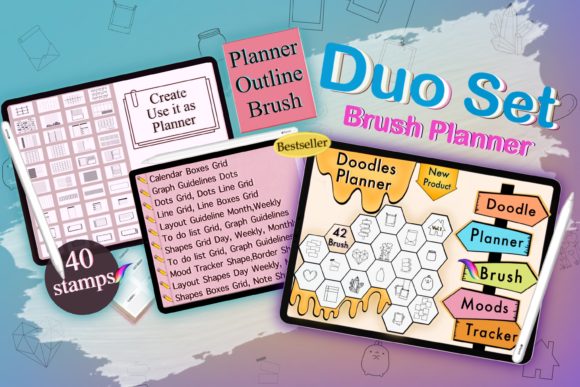
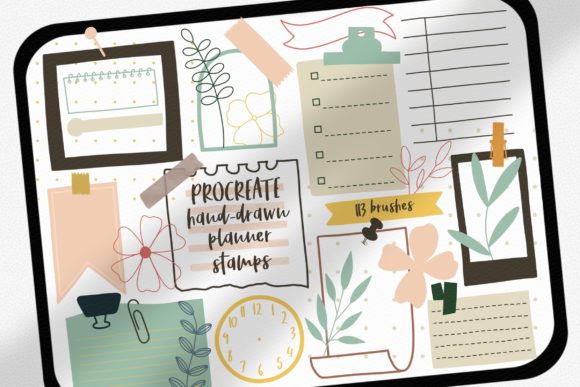
Upon installation, the user gains access to a diverse array of hand-drawn elements. The "hand-drawn" descriptor is significant here; unlike vector-based clip art which can sometimes appear sterile or overly perfect, these stamps retain the subtle imperfections and texture of ink on paper. This aesthetic choice is vital for digital planners that aim to mimic the warmth of analog journals. The collection typically includes functional items such as:
- Various checkbox styles for task management
- Calendar grids and date markers
- Decorative dividers and section headers
- Mood trackers and habit log icons
- Arrow indicators and flowchart connectors
- Seasonal and thematic embellishments
The organization of these 113 stamps into three separate brush sets suggests a logical categorization, perhaps separating functional layout tools from decorative accents. This segmentation aids in workflow efficiency, preventing the brush panel from becoming cluttered and allowing the planner to locate specific assets quickly during a planning session.
Practical Application in Professional and Creative Workflows
The utility of a Procreate Stamp Planner extends far beyond casual journaling. For entrepreneurs and small business owners, consistent visual branding in internal documentation and client-facing planners is essential. Using a unified set of stamps ensures that weekly reviews, goal-setting sheets, and project timelines maintain a cohesive look. This consistency reinforces professional standards even in informal digital notebooks.
Educators and publishers can also leverage these assets to create engaging worksheets or interactive PDFs. When designing materials for students, the hand-drawn style can reduce the intimidation factor often associated with rigid, corporate-style forms. A teacher might use the stamp kit to rapidly assemble a behavior chart or a lesson planner that feels approachable and friendly. Similarly, bloggers and content creators who produce digital products can use these stamps as base elements for their own sellable planner templates, significantly reducing the time required for initial asset creation.
In a real-world scenario, consider a freelancer managing multiple client projects. Instead of spending twenty minutes sketching a custom layout for a new client onboardings sheet, they can deploy the Procreate Stamp Planner to drop in pre-made headers, timeline markers, and priority flags. This shifts the time investment from creation to execution. The ease of use is a defining characteristic; since these are brush stamps, they respond to pressure sensitivity (depending on specific settings) and can be resized, rotated, and recolored instantly within Procreate. This flexibility allows a single black ink stamp to be adapted for different sections of a planner simply by changing the layer color.
Usability, Quality, and Long-Term Value
When assessing the quality of digital assets, reliability and presentation are paramount. A well-constructed brush set should load without errors and render crisply at various sizes. The 113 stamps in this kit are designed to be resolution-independent within the canvas limits of Procreate, ensuring they do not pixelate when scaled up for larger planner pages. The "easy and fun" aspect mentioned in the product description translates to a low learning curve. Users do not need advanced illustration skills to achieve a polished result; the artistic heavy lifting has already been done by the creator of the stamp kit.
However, users must remain aware of the ecosystem limitations. As noted, the incompatibility with Photoshop is a hard boundary. For professionals who operate in a hybrid environment—sketching on an iPad but finalizing layouts in desktop software—this requires a workflow adjustment. One might need to screenshot the stamped elements or export layers as PNGs to move them out of the Procreate ecosystem, which adds a step to the process. Therefore, this tool offers the most value to those whose primary planning and design work occurs entirely within the iPadOS environment.
The long-term value of the Procreate Stamp Planner lies in its reusability. Unlike physical stickers that are consumed once placed, digital stamps can be used infinitely across thousands of pages and projects. For a serious hobbyist or a professional planner designer, the return on investment is realized quickly. The initial cost of acquiring the kit is offset by the hours saved in manual drawing. Furthermore, because the file is a permanent download (ZIP format), there are no subscription fees or reliance on cloud connectivity to access the tools once installed.
Who Benefits Most from This Tool?
This specific stamp kit is ideally suited for several distinct groups:
- Digital Bullet Journal Enthusiasts: Individuals who enjoy the customization of BuJo but want to speed up their daily logging process.
- iPad-Centric Professionals: Marketers, writers, and consultants who utilize the iPad as their primary device for note-taking and strategy mapping.
- Digital Product Creators: Designers who sell planner templates on platforms like Etsy or Gumroad and need reliable, royalty-free assets to build their products.
- Educators: Teachers creating digital assignments or organizational charts for virtual classrooms.
Conversely, this tool may not be the best fit for users who strictly rely on desktop applications or those who prefer vector-based workflows where infinite scalability without rasterization is required. Additionally, users looking for animated stickers or complex interactive elements will find that this kit focuses on static, hand-drawn imagery.
Final Recommendations for Integration
To maximize the effectiveness of the Procreate Stamp Planner, users should organize their Procreate library logically. Creating a dedicated group for "Planning Assets" ensures that the three brush sets are always accessible. It is also advisable to experiment with blend modes and opacity settings. While the stamps come with a default look, adjusting the opacity can create subtle background textures or watermarks, adding depth to the planner pages.
In conclusion, the 113-stamp hand-drawn kit serves as a robust foundation for digital organization. It successfully marries the aesthetic charm of traditional journaling with the efficiency of modern technology. By understanding its specific compatibility with Procreate and leveraging its diverse range of functional icons, users can significantly streamline their planning workflows. Whether for personal productivity or commercial product creation, this asset pack offers a practical, high-value solution for maintaining order and style in the digital realm.