Unlocking Creative Potential: The Ultimate Guide to the Ink Brush Stroke Collection
In the rapidly evolving world of digital design, there is a persistent longing for the organic, the imperfect, and the human touch. While vector graphics and pixel-perfect layouts offer precision, they often lack the soulful energy found in traditional art. This is where the Ink Brush Stroke Collection becomes an indispensable asset for creators of all levels. Whether you are a seasoned graphic designer, a small business owner crafting your own marketing materials, or a hobbyist exploring digital scrapbooking, understanding how to leverage high-quality brush strokes can transform your projects from mundane to magnificent.
This comprehensive guide explores the significance of ink brush strokes, the versatility of multi-format files, and the endless practical applications that fit seamlessly into modern creative workflows.
Why Digital Design Needs Organic Texture
At its core, an ink brush stroke represents movement. Unlike a standard geometric shape generated by a computer, a brush stroke carries the weight of pressure, the speed of the hand, and the texture of the bristles. When integrated into digital compositions, these elements break up the sterility of the screen, adding depth and emotional resonance.
Many beginners assume that adding texture complicates a design. However, the opposite is often true. A well-placed ink sweep can guide the viewer's eye, create a dynamic background without overwhelming text, or serve as a unique framing device. In an era where brands strive to appear authentic and approachable, the hand-drawn aesthetic provided by this collection helps businesses connect with audiences on a more personal level.
The Power of Versatility in File Formats
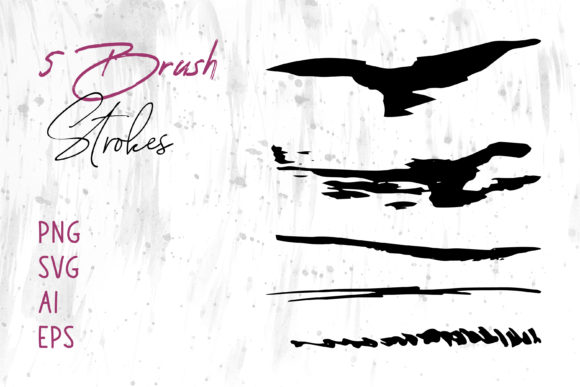
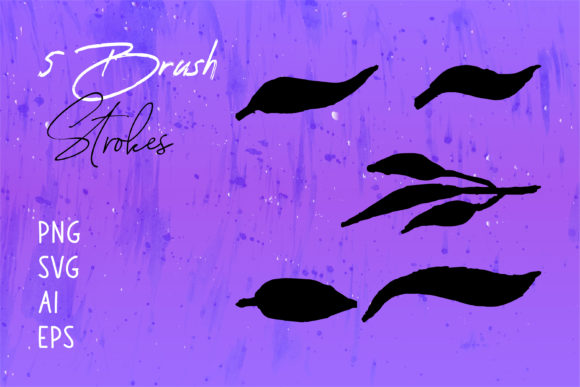
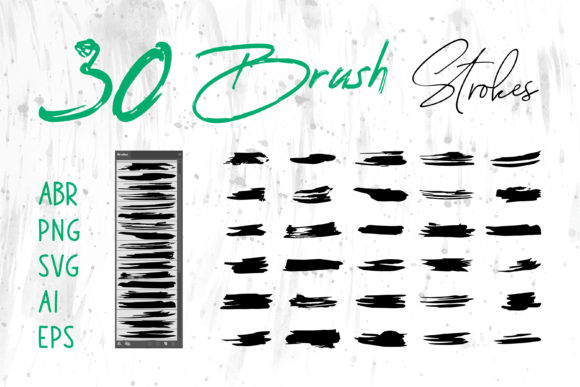
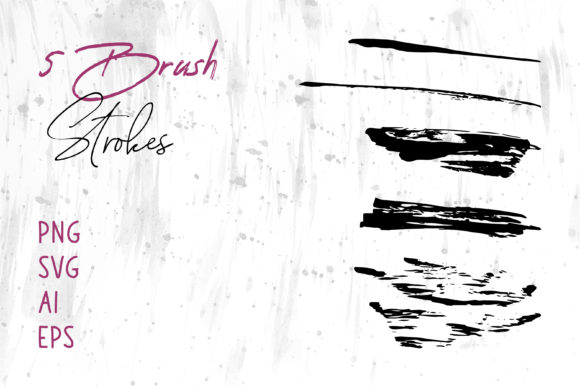
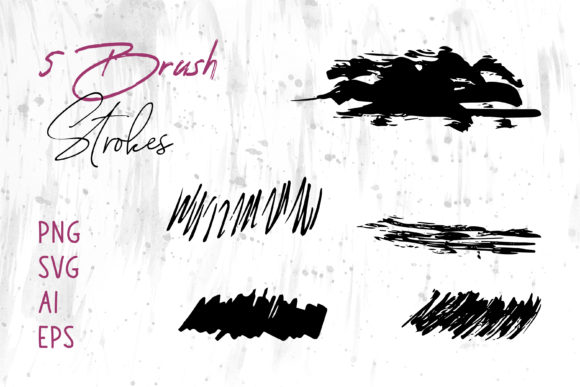
One of the most significant hurdles for designers is compatibility. You might find a beautiful graphic, only to discover it cannot be edited in your specific software or loses quality when resized. The Ink Brush Stroke Collection solves this problem by providing a comprehensive suite of file formats: PNG, SVG, AI, EPS, and Brush Strokes.ai.
Here is why having access to these varied formats is crucial for your workflow:
- PNG (Portable Network Graphics): Ideal for immediate use. These files come with transparent backgrounds, making them perfect for dragging and dropping into presentations, social media posts, or documents without any complex editing.
- SVG (Scalable Vector Graphics): Perfect for web designers. SVGs remain crisp at any size, ensuring your brush strokes look sharp on both mobile screens and large desktop monitors.
- AI and EPS (Adobe Illustrator & Encapsulated PostScript): These are the gold standards for professional print and editing. They allow you to ungroup paths, change colors, modify stroke weights, and integrate the artwork seamlessly into complex vector illustrations.
- Brush Strokes.ai: This specialized file often contains custom brush definitions, allowing you to paint with these textures directly within Adobe Illustrator, offering infinite variability.
By including files in these different formats, the collection ensures that you can use these brushes in different software like Adobe Illustrator, Adobe Photoshop, Adobe InDesign, MS Word, MS Powerpoint, and many others. This cross-platform compatibility democratizes high-end design, allowing users of simple word processors to achieve results that rival professional agencies.
Practical Applications Across Industries
The utility of an ink brush stroke collection extends far beyond fine art. Its adaptability makes it a powerhouse tool for various sectors of modern life and business. Let us explore how these graphics can be utilized effectively.
Branding and Logo Design
In the competitive landscape of branding, uniqueness is currency. Many startups and artisans seek logos that reflect craftsmanship. By incorporating a distinct ink stroke into a logo, a brand can signal creativity and boldness. Because the files include AI and EPS formats, a designer can easily trace around a stroke or modify its anchor points to create a custom logomark that is scalable for everything from business cards to billboards.
Packaging and Product Labels
Consumer packaging relies heavily on tactile visual cues. Even on a flat box, a textured ink background can simulate the feel of handmade paper or artisanal production. This is particularly effective for organic food products, craft beverages, and boutique cosmetics. Using the high-resolution PNG or EPS files, designers can wrap these textures around 3D mockups to visualize the final product before printing.
Digital Presence: Websites and Social Media
Your online presence needs to stand out in a crowded feed. Social media banners and website headers often suffer from "banner blindness" when they look too corporate. An energetic splash of black ink behind a promotional message grabs attention immediately. Furthermore, because SVG files are lightweight, they can be used on websites without slowing down page load speeds—a critical factor for SEO and user experience.
Education and Corporate Communication
It is not just artists who benefit. Educators creating engaging lesson plans in MS Powerpoint or MS Word can use these strokes to highlight key concepts, underline important dates, or frame quotes. This adds a layer of visual interest that keeps students engaged. Similarly, corporate reports in Adobe InDesign can utilize subtle watercolor-style ink washes to soften data-heavy pages, making the information more digestible.
How to Integrate Brush Strokes into Your Workflow
For those new to using asset collections, the process is straightforward but offers room for advanced experimentation.
- Selection: Browse the collection to find a stroke that matches the mood of your project. Do you need something aggressive and jagged, or soft and flowing?
- Importing:
- For Photoshop: Drag and drop the PNG file. Use blending modes like "Multiply" to let the white background disappear naturally if transparency isn't already set, or simply place the transparent PNG on a new layer.
- For Illustrator: Open the AI or EPS file. You can now edit the vector paths. Change the color from black to your brand palette instantly.
- For Office Suites: Insert the PNG directly into MS Word or PowerPoint. Resize as needed; the high resolution ensures it won't pixelate.
- Customization: Don't be afraid to manipulate the assets. Flip them horizontally, rotate them, or layer multiple strokes to create a unique composite image.
Common Misunderstandings Clarified
A common assumption is that brush strokes are only suitable for "grunge" or "distressed" designs. This is a limitation of imagination rather than the asset itself. Ink strokes can be elegant, minimal, and refined. By changing the color to gold or pastel and reducing the opacity, the same stroke that looks like a rough mark can become a sophisticated accent for a wedding invitation or a luxury book cover.
Another misconception is that vector files (AI/EPS) are too difficult for non-designers to handle. While they offer advanced features, they can also be used simply as scalable images. If you can resize a photo in Word, you can place an EPS file and resize it without losing quality.
Elevating Craft Projects and Personal Creativity
Beyond professional obligations, the Ink Brush Stroke Collection is a treasure trove for personal creativity. Imagine creating digital scrapbooks that retain the charm of physical cutouts but with the ease of digital editing. You can design custom greeting cards for birthdays, anniversaries, or holidays, adding a personal flair that store-bought cards lack.
For those interested in merchandise, these graphics are ready for T-shirt printing. The high-contrast nature of ink strokes translates beautifully onto fabric, whether using screen printing methods or direct-to-garment digital printing. The inclusion of Brush Strokes.ai allows for the creation of seamless patterns, turning a single stroke into an all-over print design for fashion or home decor items.
Conclusion: A Tool for Every Creator
The bridge between traditional artistry and digital efficiency is built on resources like the Ink Brush Stroke Collection. By providing files in PNG, SVG, AI, EPS, and specialized brush formats, this collection removes technical barriers, allowing you to focus on what truly matters: your message and your vision.
Whether you are designing a Book Cover that needs to pop on a thumbnail, a Logo that defines a new brand identity, or a Social Media Banner that stops the scroll, these tools empower you to create with confidence. They remind us that even in a digital age, the human hand still has a vital role to play. Embrace the texture, experiment with the formats, and let the organic flow of ink elevate your next project.
Ready to transform your designs? Explore the possibilities of combining precision technology with the timeless beauty of ink.