Unlocking Creative Potential with Versatile Watercolor Brush Strokes
In the evolving landscape of digital design, the quest for authenticity often leads creators back to traditional artistic mediums. Among these, Watercolor Brush Strokes have emerged as a cornerstone for adding depth, emotion, and a handcrafted feel to modern projects. Unlike rigid vector lines or flat digital colors, watercolor elements bring an organic fluidity that resonates with audiences on a subconscious level. Whether you are a seasoned graphic designer, a small business owner crafting your brand identity, or a hobbyist creating personalized gifts, understanding how to leverage these assets can transform the quality of your output.
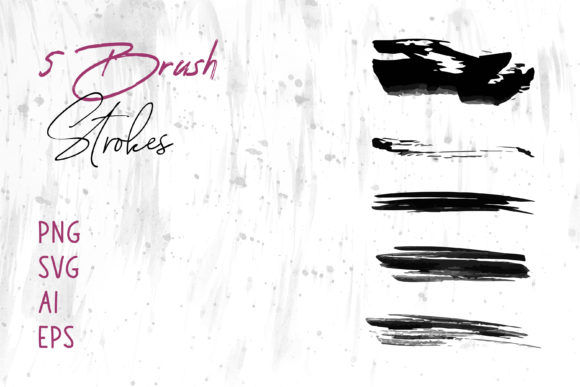
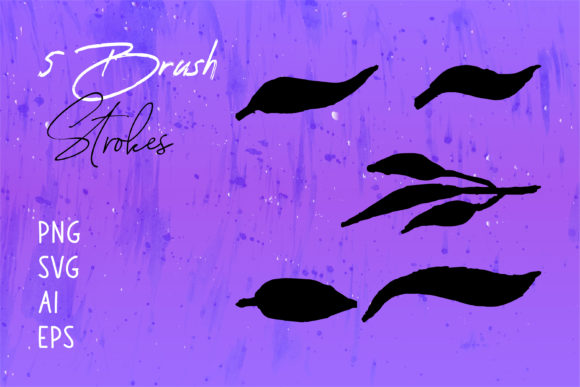
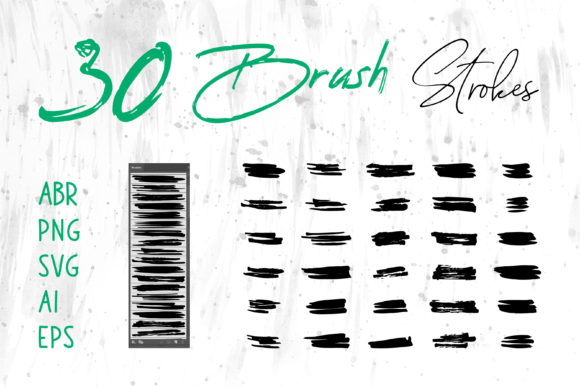
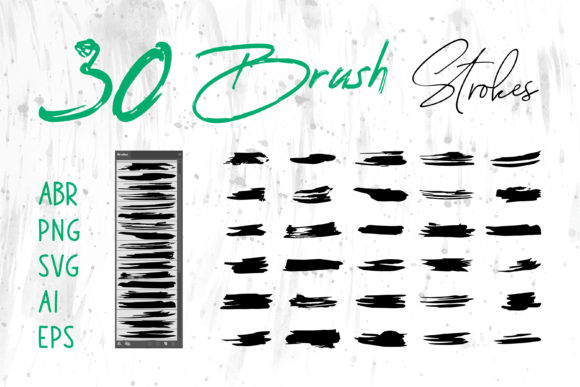
The true power of digital watercolor assets lies not just in their aesthetic appeal, but in their versatility. When you acquire a comprehensive collection of brush strokes, you are essentially investing in a toolkit that bridges the gap between classical artistry and contemporary software efficiency. A high-quality package typically includes files in multiple formats—PNG, SVG, AI, and EPS—ensuring that regardless of your preferred platform, from Adobe Illustrator to MS Word, you have the right tool for the job.
The Anatomy of Digital Watercolor Assets
To fully appreciate the value of Watercolor Brush Strokes, one must understand the technical composition behind them. These are not merely pictures of paint; they are carefully isolated graphical elements designed to integrate seamlessly into diverse workflows.
- PNG Files: These are raster images with transparent backgrounds. They are ideal for quick drag-and-drop usage in software like Adobe Photoshop, MS PowerPoint, or Canva. Because they retain pixel data, they offer realistic texture and color blending that mimics real paper absorption.
- SVG (Scalable Vector Graphics): This format allows the brush stroke to be resized infinitely without losing quality. It is perfect for web design and responsive layouts where clarity on different screen sizes is paramount.
- AI and EPS Formats: These are native Adobe Illustrator and Encapsulated PostScript files. They provide the highest level of editability, allowing professionals to manipulate anchor points, change colors globally, and integrate the strokes into complex vector illustrations without any loss of fidelity.
Having access to all these formats in a single download means you are never locked out of a project due to software incompatibility. It empowers you to start a design in Illustrator, refine it in Photoshop, and finalize the layout in InDesign or even MS Word, maintaining consistency throughout.
Practical Applications Across Industries
The utility of Watercolor Brush Strokes extends far beyond simple decoration. Their application is limited only by the creator's imagination, serving functional roles in branding, marketing, and personal expression.
Branding and Corporate Identity
For businesses aiming to project warmth and approachability, watercolor elements are invaluable. A logo incorporating a soft blue wash can suggest trust and calmness, suitable for a wellness clinic or a financial advisor seeking a human touch. Similarly, packaging design benefits immensely from these textures. Imagine a line of artisanal soaps or organic teas; the use of hand-painted style strokes on the label immediately communicates "natural" and "handcrafted" to the consumer, distinguishing the product from mass-produced competitors.
Digital Marketing and Social Media
In the crowded space of social media, stopping the scroll is essential. Banners and posts that utilize watercolor backgrounds or accents stand out against the sea of polished, corporate photography. They add a layer of personality that algorithms and users alike tend to favor. Furthermore, for website headers, a subtle watercolor wash can break up white space without the heaviness of a solid color block, guiding the user's eye naturally through the content.
Print Media and Publishing
The publishing industry has long embraced the aesthetic of watercolors for book covers, particularly in genres like romance, fantasy, and self-help. The fluidity of the medium suggests movement and emotion, hinting at the narrative within. Additionally, digital scrapbooks and greeting cards rely heavily on these assets to create nostalgic, heartfelt compositions that feel personal rather than templated.
Navigating Software Compatibility
One of the most common hurdles for creators is the fear that a specific file type won't work with their current setup. However, the inclusion of Brush Strokes.ai and other vector formats alongside raster PNGs ensures universal compatibility.
For users of the Adobe Creative Cloud, the workflow is seamless. You can import an .ai file directly into Illustrator to recolor a stroke to match your brand palette instantly. In Photoshop, you can place a PNG, apply blending modes like "Multiply" or "Overlay," and achieve a realistic interaction with underlying layers.
But what about those who do not use professional design suites? This is where the versatility shines. MS Word and MS PowerPoint users can insert PNG watercolor strokes to elevate presentations and documents. A quarterly report decorated with subtle watercolor dividers looks significantly more engaging than a standard black-and-white text document. Similarly, crafters using cutting machines often convert SVG files to work with their hardware, allowing them to print and cut watercolor designs for physical Craft Projects and T-shirt transfers.
Evaluating Suitability for Your Project
While Watercolor Brush Strokes are incredibly useful, they are not a one-size-fits-all solution for every design challenge. Knowing when to use them is as important as knowing how.
- Consider the Tone: Watercolors evoke softness, creativity, and organic growth. If your project requires a stark, industrial, or ultra-modern technological feel, heavy watercolor textures might clash with the intended message. They are best suited for brands and projects that value humanity and artistry.
- Check Resolution Needs: If you are designing for large-format printing, such as a billboard or a trade show banner, ensure you utilize the EPS or AI vector files. Raster PNGs may pixelate if scaled too large, whereas vectors remain crisp at any size.
- Layering Complexity: For intricate designs, consider how the transparency of the watercolor interacts with other elements. The beauty of watercolor lies in its translucency; overlapping strokes can create new, unplanned colors, which can be a feature or a bug depending on your control over the layers.
Real-World Scenarios: From Concept to Completion
To illustrate the practical impact, let us look at a few scenarios where these assets solve specific problems.
Scenario A: The Wedding Invitation Suite
A freelance designer is tasked with creating a wedding invitation suite for a couple who loves nature. By using Watercolor Brush Strokes in shades of sage green and dusty rose, the designer creates a custom border for the invite. The SVG files allow the text to be overlaid perfectly without background interference, while the PNG textures are used in the digital save-the-date email, ensuring brand consistency across print and digital channels.
Scenario B: The Startup Pitch Deck
A founder needs to present a pitch deck to investors but wants to avoid the boring, standard corporate templates. They utilize a set of abstract watercolor splashes in their company colors as background elements in MS PowerPoint. This adds visual interest and keeps the audience engaged without distracting from the critical data being presented. The strokes act as subtle framing devices, directing attention to key metrics.
Scenario C: The Etsy Shop Owner
An entrepreneur selling handmade candles needs packaging labels. They download a pack containing Brush Strokes.ai files. Using a free vector editor or Illustrator, they modify the shape of a stroke to wrap around their circular label design. They then send this to a professional printer, confident that the vector file will produce a sharp, high-quality print that reflects the premium nature of their product.
Maximizing Value Through Format Diversity
The inclusion of multiple file types—PNG, SVG, AI, EPS—is not just a technical specification; it is a promise of longevity and adaptability. Design trends change, and software updates frequently. By having your assets in both raster and vector formats, you future-proof your creative library. You can revisit a project five years from now, perhaps needing to resize a logo for a new mobile app, and find that the EPS file still performs flawlessly.
Moreover, the ability to use these graphics in non-design specific software like MS Word democratizes high-quality design. It allows teachers to create beautiful worksheets, administrators to design appealing newsletters, and event planners to draft elegant programs without needing a degree in graphic design. This accessibility is the true strength of a well-curated watercolor collection.
Conclusion
Incorporating Watercolor Brush Strokes into your creative workflow is more than an aesthetic choice; it is a strategic decision to enhance communication through visual storytelling. The blend of traditional artistry with digital convenience offers a unique advantage in a world saturated with generic templates. Whether you are designing a T-Shirt, composing a Social Media Banner, or laying out a Book Cover, the right brush stroke can provide that final touch of elegance and authenticity.
By selecting a resource that provides comprehensive format support, you ensure that your creative vision is never hindered by technical limitations. Embrace the fluidity, experiment with the layers, and let the organic nature of watercolor elevate your next project from ordinary to extraordinary. The tools are available; the canvas is waiting.