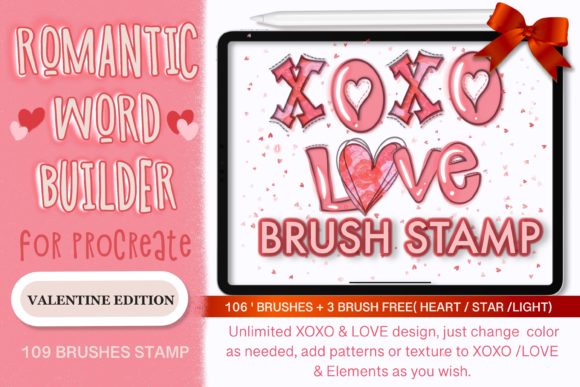
Unlocking Romance in Your Designs: A Practical Guide to the Love Valentine Procreate Brush Stamp
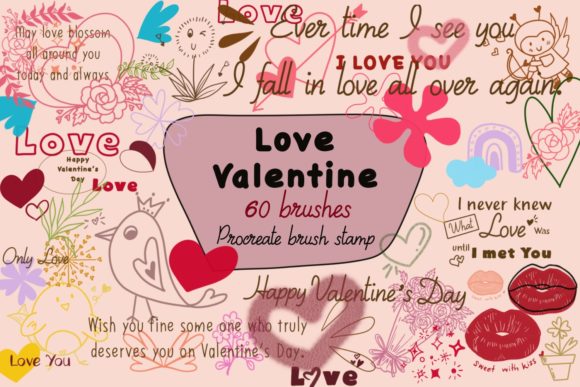
Digital design often feels sterile until you introduce an element of human touch. This is where the Love Valentine Procreate Brush Stamp becomes an essential tool for creators looking to infuse warmth into their work. Whether you are a seasoned graphic designer, a small business owner crafting packaging, or a hobbyist making greeting cards, this collection offers 60 individual stamps designed specifically to elevate digital and printable projects. However, simply downloading a brush set does not guarantee professional results. Many users stumble over installation hurdles, misuse scaling features, or fail to integrate these assets effectively into their workflow. Understanding the nuances of this tool before you begin can save you hours of frustration and ensure your final output looks polished rather than patched together.
Understanding the Value Beyond the Hype
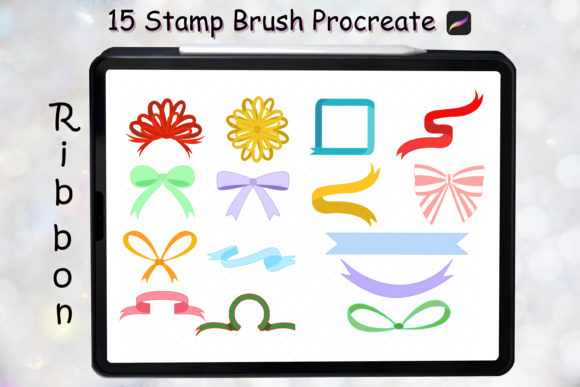
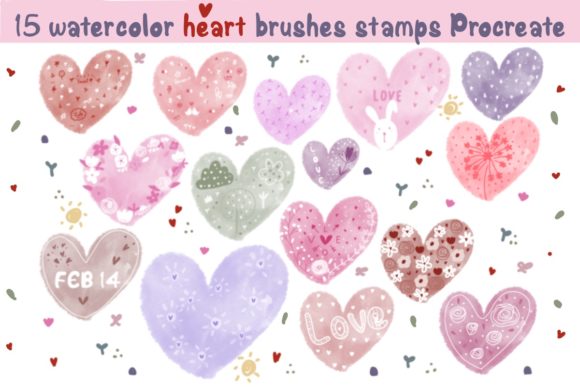
The Love Valentine Procreate Brush Stamp is more than just a collection of hearts and swirls; it is a curated library intended for versatility. With 60 unique stamps, the set supports a wide array of applications including stationery printables, Instagram posts, blog buttons, surface patterns, and wall art. The primary mistake many beginners make is viewing these stamps as standalone decorations rather than modular design elements. When used correctly, they serve as the foundation for complex illustrations or the finishing touch on a business card. Ignoring this versatility limits your return on investment. Instead of using a single stamp repeatedly, which creates a repetitive and amateurish look, you should explore combining different elements from the set to create unique compositions that feel custom-made.
Common Installation Pitfalls and How to Avoid Them
One of the most frequent points of failure occurs before the first stroke is even made: the installation process. While the instructions state that downloading the brush set file should automatically import it into your Procreate brush collection, this does not always happen seamlessly. A common misunderstanding is assuming the file will appear immediately without user intervention. If the automatic import fails, panic often sets in, leading users to delete the file or restart their iPad unnecessarily.
If you find that the brush set has not appeared in your library, do not assume the file is corrupted. Instead, follow this corrective workflow:
- Ensure you have downloaded the brush set file to a specific folder on your iPad that you can easily access, such as the "Downloads" folder in the Files app.
- Navigate to that folder and locate the downloaded brush set file.
- Tap and hold the file with your finger or Apple Pencil to bring up the context menu.
- Select "Share" from the list of options.
- Look for the "Open in Procreate" option. If it is missing, click on "More" to reveal additional apps.
- Scroll through the list, find Procreate, and select it to force the import.
Skipping these troubleshooting steps often leads to unnecessary support tickets or abandoned projects. Taking a moment to manually share the file resolves 99% of installation issues.
Missteps in Scaling and Customization
Once installed, the next area where users often compromise quality is in the handling of scale and opacity. A significant advantage of the Love Valentine Procreate Brush Stamp is the ability to resize, change opacity, and alter colors. However, a frequent error is resizing stamps to extremes without considering resolution. Stretching a small stamp to cover a large portion of a canvas can result in pixelation or a loss of crisp detail, ruining the aesthetic of high-resolution print projects like posters or packaging.
To maintain quality, always test your stamp at the intended print size before committing to a full design. If a stamp appears fuzzy when scaled up, it is better to use it as a smaller accent or duplicate it to create a pattern rather than stretching it thin. Additionally, many users leave the opacity at 100%, which can make designs look heavy and flat. Lowering the opacity allows underlying textures or colors to show through, creating depth and a more organic, hand-drawn feel. Experimenting with blend modes in Procreate can further enhance how these stamps interact with your background layers.
Strategic Application for Different Projects
Not every project requires the same approach. A common oversight is applying the same density of stamps to a minimalist business card as one would to a vibrant Instagram post. For corporate materials like business cards or blog buttons, subtlety is key. Use the stamps sparingly as watermarks or corner accents to add brand personality without overwhelming the contact information. Conversely, for surface patterns or wall art, you can be more liberal, layering multiple stamps to create rich, textured backgrounds.
Entrepreneurs and marketers should also be wary of color choices. While the brushes allow color changes, sticking to default reds and pinks for every Valentine's project can make your brand look generic. Consider using unexpected color palettes—such as muted pastels, monochromatic schemes, or even high-contrast black and white—to make your social media posts or packaging stand out in a saturated market. This strategic deviation helps your content feel fresh and aligned with modern design trends rather than cliché.
Evaluating Compatibility and Workflow Efficiency
Before purchasing or diving deep into any digital asset, it is crucial to verify compatibility. The Love Valentine Procreate Brush Stamp is designed exclusively for Procreate on the iPad. A costly mistake involves buying this set expecting it to work with Adobe Photoshop, Illustrator, or desktop-based software. These files are proprietary to Procreate and will not function elsewhere. Always confirm your hardware and software ecosystem matches the tool's requirements to avoid wasted expenditure.
Furthermore, efficiency drops when artists fail to organize their workspace. With 60 stamps available, scrolling through them randomly during a client deadline is inefficient. Take the time to familiarize yourself with the specific shapes and styles within the set. Create a "favorites" section in your mind or even duplicate preferred stamps into a separate, quick-access brush set if your workflow demands speed. This preparation ensures that when inspiration strikes, you aren't bogged down by searching for the right element.
Making the Right Decision for Your Creative Needs
Ultimately, the value of the Love Valentine Procreate Brush Stamp lies in how well it integrates into your specific creative goals. Whether you are an educator creating engaging lesson materials, a freelancer designing wedding invitations, or a blogger needing eye-catching headers, this tool offers substantial utility. The key is to approach it with a mindset of experimentation and precision. Avoid the trap of using presets without customization, and never ignore the technical aspects of installation and resolution.
By understanding the potential pitfalls—from installation glitches to scaling errors—you position yourself to use these 60 stamps effectively. The result is not just a collection of digital doodles, but a versatile toolkit that enhances communication, improves presentation, and adds a genuine touch of love to your digital and printable projects. Take the time to learn the tool, respect its limitations, and leverage its strengths to create work that resonates with your audience.