Evaluating Watercolor Leaf and Flower Brush Strokes for Design Projects
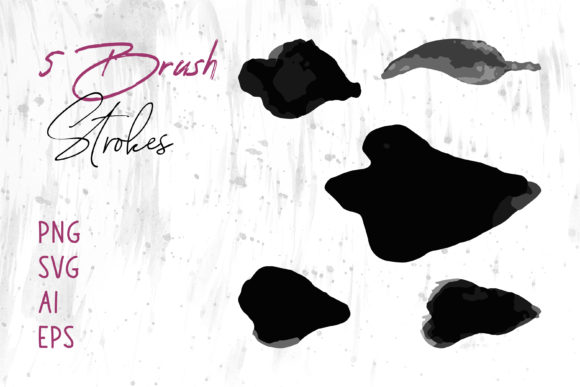
In the realm of digital design and creative crafting, the aesthetic quality of graphical elements often determines the success of a project. Watercolor Leaf and Flower Brush Strokes represent a specific category of digital assets designed to replicate the organic, fluid appearance of traditional watercolor painting. These assets are not merely images; they are versatile tools available in multiple file formats, including PNG, SVG, AI, EPS, and specialized brush files like Brush Strokes.ai. Understanding the utility, limitations, and appropriate applications of these resources is essential for designers, crafters, and business owners looking to enhance their visual communications without the time investment of creating hand-painted illustrations from scratch.
Understanding the Asset Collection
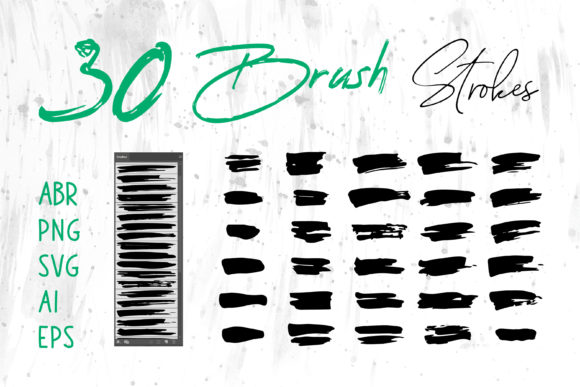
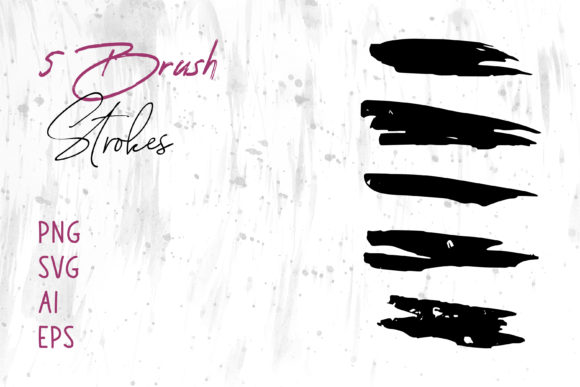
At its core, this collection consists of pre-rendered botanical elements that mimic the texture, transparency, and color blending characteristic of watercolor media. Unlike standard clip art which can appear flat or vector-sharp, these strokes retain the imperfections and soft edges that give hand-painted art its charm. The inclusion of various file formats ensures compatibility across a wide spectrum of software environments. For instance, PNG files offer high-resolution raster images with transparent backgrounds, making them immediately usable in programs like Adobe Photoshop, MS Word, and MS PowerPoint. Conversely, SVG, AI, and EPS files provide vector-based scalability, allowing users to resize elements infinitely without loss of quality, which is critical for large-format printing or logo design within Adobe Illustrator and InDesign.
The specific inclusion of Brush Strokes.ai indicates a focus on workflow integration for vector artists. This file type allows users to apply these textures dynamically within Illustrator, turning simple paths into complex, painted strokes. This distinction between static image files and dynamic brush tools is a crucial consideration when evaluating whether this collection meets specific project requirements.
Primary Benefits and Practical Applications
The primary advantage of utilizing Watercolor Leaf and Flower Brush Strokes lies in efficiency and consistency. Creating authentic watercolor effects digitally requires significant skill and time. By leveraging pre-made assets, creators can achieve a professional, hand-crafted look instantly. This is particularly beneficial for individuals who possess strong layout skills but may lack advanced illustration capabilities.
These graphics are highly adaptable for a diverse range of applications:
- Print Media: The high resolution of PNGs and the scalability of vectors make these strokes ideal for packaging, book covers, and greeting cards where print quality is paramount.
- Digital Presence: For website headers, social media banners, and digital scrapbooks, the lightweight nature of SVGs and optimized PNGs ensures fast loading times while maintaining visual fidelity.
- Branding and Identity: Logos for boutiques, spas, or organic product lines often benefit from the soft, approachable feel of watercolor botanicals.
- Corporate and Educational Materials: Even standard office software like MS Word and PowerPoint can be elevated by inserting these elements to break up text-heavy slides or documents, adding a touch of elegance to presentations.
The versatility extends to craft projects as well. Digital scrapbookers and those using cutting machines can import these files to create physical stickers, invitations, or decorative overlays, bridging the gap between digital design and tangible crafts.
Tradeoffs and Technical Considerations
While the benefits are substantial, there are tradeoffs to consider when selecting pre-made brush strokes over custom illustration. The most significant factor is uniqueness. Because these assets are available for purchase and download by multiple users, there is a possibility that similar designs may appear in other projects. For brands requiring a strictly unique visual identity, relying solely on stock brush strokes for a primary logo might pose a risk of similarity with competitors.
Furthermore, the technical format dictates the workflow. Users must understand the difference between raster (PNG) and vector (SVG, AI, EPS) formats. If a user intends to print a large banner, using a low-resolution PNG could result in pixelation. In such cases, the vector formats are mandatory. Similarly, users working exclusively in raster-based environments may find the AI or EPS files unnecessary unless they plan to transfer assets between software suites. The learning curve for utilizing the Brush Strokes.ai file specifically requires familiarity with Adobe Illustrator's brush panel mechanics, which might be a barrier for beginners compared to simply dragging and dropping a PNG image.
Situations for Strong Fit vs. Alternatives
Watercolor Leaf and Flower Brush Strokes are a strong fit for projects with tight deadlines, limited budgets for custom illustration, or those requiring a cohesive botanical theme across multiple deliverables. They are excellent for small business owners managing their own marketing materials, educators creating engaging visual aids, and hobbyists involved in digital crafting. The ability to use these files in ubiquitous software like MS Office expands their utility beyond professional design circles.
However, alternatives may be worth considering in specific scenarios. If a project demands a hyper-realistic botanical illustration with scientific accuracy, pre-made stylized strokes may not suffice. In this case, commissioning a custom illustrator or using high-resolution photography would be more appropriate. Additionally, if a brand's guideline strictly prohibits the use of stock elements to ensure total copyright ownership and uniqueness, developing custom brushes or hiring an artist to create proprietary assets is the necessary path.
Another alternative is procedural generation software, which can create infinite variations of natural patterns. While powerful, these tools often lack the specific artistic "hand" that a curated set of watercolor strokes provides. The human touch embedded in these pre-made files often resonates more warmly with audiences in sectors like wellness, weddings, and artisanal goods.
Decision-Making Insights for Buyers
When evaluating whether to acquire this collection, potential users should assess their current software ecosystem. If your workflow relies heavily on Adobe Creative Cloud, the value of having AI, EPS, and specialized brush files increases significantly. If your work is primarily conducted in office suites or basic image editors, the PNG and SVG formats will likely carry the most weight. It is also prudent to verify the resolution of the PNG files and the organization of the vector layers to ensure they align with your production standards.
Consider the long-term utility of the asset. A collection that offers both static images and dynamic brush tools provides greater longevity. You might start by using the PNGs for a quick social media post but later utilize the vector brushes to construct a complex pattern for product packaging. This dual-utility maximizes the return on investment.
Ultimately, Watercolor Leaf and Flower Brush Strokes serve as a bridge between traditional artistic aesthetics and modern digital efficiency. They offer a practical solution for enhancing visual appeal across a vast array of mediums, from T-shirts to digital banners. By carefully weighing the need for speed and cost-effectiveness against the desire for absolute uniqueness, creators can determine if this toolkit aligns with their specific goals. For many, the balance of flexibility, format variety, and artistic quality makes these brush strokes an indispensable addition to their creative library.