Evaluating the Brush Strokes Set and Ink Brush: A Practical Guide to Formats and Applications
In the realm of digital design, texture often serves as the bridge between sterile vector graphics and organic, human-made art. For designers, illustrators, and crafters seeking to inject authenticity into their work, a comprehensive Brush Strokes Set featuring high-quality Ink Brush elements can be a transformative resource. However, not all asset packs are created equal. The true value of such a collection lies not just in the visual aesthetic of the strokes themselves, but in the versatility of the file formats provided and how well they integrate into diverse workflows. This analysis explores what makes a robust brush set distinct, how different file types serve specific purposes, and when this type of resource is the optimal choice compared to creating assets from scratch or using simpler alternatives.
The Core Value: Versatility Through Multiple File Formats
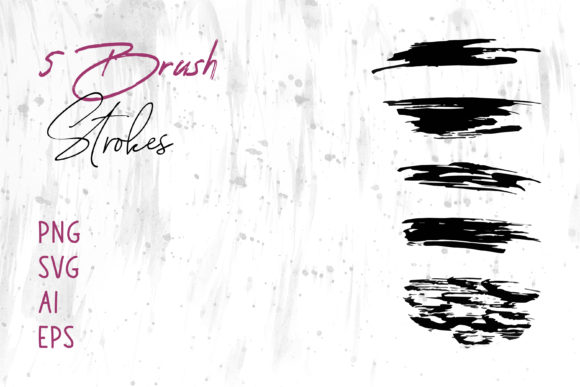
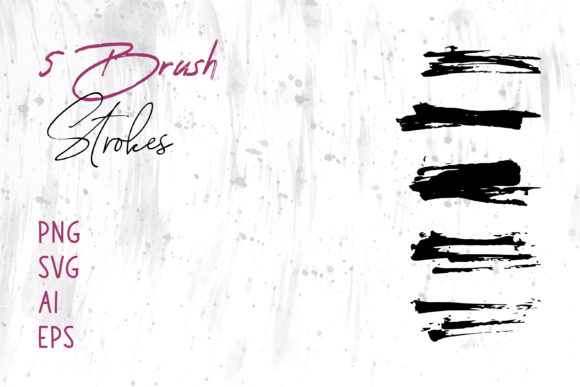
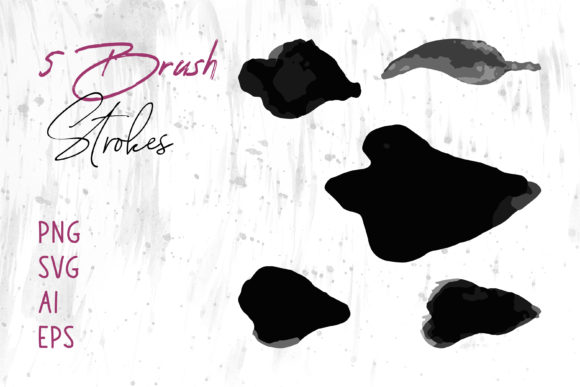
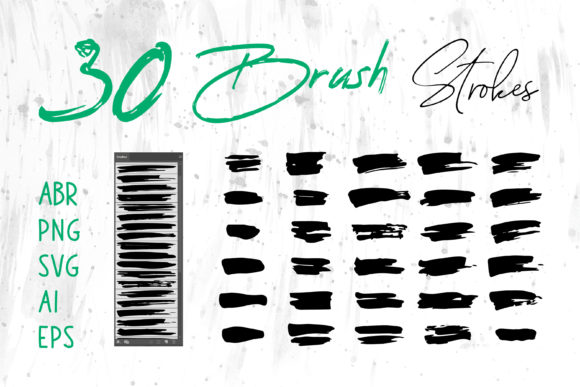
When evaluating a digital asset pack, the variety of included file formats is often the most critical factor in determining its long-term utility. A superior Brush Strokes Set typically includes a wide array of extensions, such as .ABR for Photoshop, native files for Procreate, and vector formats like .SVG, .AI, and .EPS. Additionally, including raster images like .PNG ensures compatibility with software that does not support native brush engines.
The inclusion of .ABR (Adobe Photoshop) files is essential for pixel-based editing. These allow users to paint dynamically, adjusting opacity, flow, and size in real-time. This is distinct from static images, offering a level of control that mimics traditional media. Conversely, vector formats (.AI, .EPS, .SVG) offer scalability without loss of quality. For a logo designer or someone working on large-format packaging, the ability to scale an ink stroke from a business card to a billboard without pixelation is non-negotiable.
Furthermore, the presence of .PNG files with transparent backgrounds broadens the horizon for users who may not be professional graphic designers. Individuals using MS Word or MS PowerPoint for presentations, reports, or internal documentation can easily drag and drop these elements to elevate the visual appeal of their slides. This cross-platform compatibility transforms a niche design tool into a general-purpose creative asset, making it accessible to a wider audience ranging from web developers to small business owners managing their own social media banners.
Comparing Approaches: Native Brushes vs. Static Graphics
Understanding the difference between native brush tools and static graphic overlays is vital for selecting the right approach for a project. A Brush Strokes Set that offers both .ABR/Procreate files and .PNG/.SVG graphics provides two distinct workflows.
- Native Brushes (.ABR, Procreate): These are best suited for illustration and freehand design. They allow the artist to build up texture, vary pressure sensitivity, and create unique compositions that do not look repetitive. The trade-off here is that they require software capable of interpreting brush dynamics. They are less effective if you need a specific, unchangeable shape instantly.
- Static Graphics (.PNG, .SVG, .EPS): These are pre-rendered strokes. Their strength lies in consistency and speed. If you need a specific underline for a header in a corporate presentation or a decorative element for a book cover layout, dragging in a PNG is faster than painting one. The limitation is the lack of dynamic variation; using the same PNG repeatedly can make a design feel templated unless the set includes many variations.
For projects like Digital Scrapbooks or Craft Projects, static PNGs often suffice because the goal is assembly rather than original painting. However, for T-Shirt designs or Logo creation where uniqueness is paramount, the ability to manipulate vector paths in Illustrator or paint custom combinations in Photoshop provides a significant competitive edge.
Application Scenarios: Where This Resource Shines
The utility of a multi-format ink brush collection extends across various industries and project types. Below are practical scenarios where investing in a comprehensive set yields high returns:
Branding and Identity Design
In logo design, the "human touch" is increasingly valued as a counterpoint to geometric minimalism. An Ink Brush stroke can serve as the foundation for a wordmark or an icon. Using the .AI or .EPS files allows the designer to modify anchor points, ensuring the logo remains crisp at any size. Unlike hand-drawing a logo from scratch, which can be time-consuming and difficult to replicate perfectly, starting with a high-quality base stroke accelerates the iteration process while maintaining an organic feel.
Packaging and Print Media
For Packaging and Book Covers, texture adds tactile depth even in print. Ink strokes can be used to frame product names, highlight key features, or create background patterns that suggest artisanal quality. The high resolution of PNGs or the infinite scalability of vectors ensures that these elements print sharply on cardboard, paper, or plastic. Here, the trade-off between using a photo of real paint versus a digital brush often leans toward the digital set for cost-efficiency and ease of color adjustment.
Digital Marketing and Web Design
Social Media Banners and Website headers benefit greatly from the dynamism of brush strokes. They break up the rigid grid structures common in web layouts. A marketer using PowerPoint or Canva (which accepts PNGs) can quickly assemble professional-looking ads without needing advanced Photoshop skills. The ability to recolor SVG files directly in code or design tools also makes them highly adaptable for dark mode interfaces or brand-specific color palettes.
Decision Factors: When to Choose This Set vs. Alternatives
While a comprehensive Brush Strokes Set is powerful, it is not the solution for every scenario. Making an informed decision requires weighing specific project needs against the capabilities of the asset pack.
Choose this type of set if:
- You need speed and consistency across multiple deliverables (e.g., a series of Instagram posts).
- You work across different software ecosystems (switching between Illustrator for vectors and Photoshop for textures).
- You lack confidence in your hand-lettering or painting skills but desire an organic aesthetic.
- Your project requires scalability, such as large format printing for banners or vehicle wraps.
Consider alternatives if:
- You require a hyper-specific, one-of-a-kind texture that cannot be achieved by modifying existing vectors. In this case, creating custom scans of traditional media might be necessary.
- You are working in a strictly limited environment that does not support external assets or transparency (rare in modern workflows but possible in legacy systems).
- Your budget is zero and you have the time to cultivate your own library of brushes, though the time-cost trade-off usually favors purchasing a curated set.
Technical Considerations and Limitations
Even with a high-quality set, users must be aware of technical nuances. Raster formats like .PNG are resolution-dependent. While often provided at high DPI (dots per inch), enlarging them beyond their intended dimensions can result in blurriness. This is where the .SVG and .AI files become indispensable. However, vectorizing complex ink textures can sometimes result in overly complicated path structures, which may slow down older computers or complicate cutting files for vinyl plotters used in Craft Projects.
Additionally, color management is crucial. Ink brushes often rely on the interplay of black ink and white space. When recoloring these elements for a T-Shirt print or a colorful Banner, designers must ensure that the transparency blends correctly with the background. A stroke that looks perfect on white may lose its definition on a dark background if the anti-aliasing edges are not handled correctly.
Final Thoughts on Integration
Ultimately, the decision to utilize a Brush Strokes Set with an Ink Brush focus comes down to the balance between efficiency and artistic control. The inclusion of files compatible with Adobe Illustrator, Photoshop, InDesign, and even office suites like MS Word and PowerPoint democratizes high-end design aesthetics. It allows professionals to streamline their workflow and enables enthusiasts to produce polished results.
By understanding the strengths of each file format—vectors for scale, rasters for texture, and native brushes for dynamism—users can maximize the potential of these resources. Whether the goal is to craft a rugged logo, design an elegant book cover, or simply add a flair to a presentation slide, a versatile brush set serves as a foundational tool that adapts to the creator's vision rather than constraining it. As with any design resource, the key is to view these strokes not as finished products, but as flexible building blocks ready to be molded into something uniquely yours.