Mastering Analog Aesthetics: An Evaluation of the Graffiti Dirty Brush for Digital Artists
The transition from physical walls to digital canvases has been one of the most significant shifts in modern street art culture. For decades, the authenticity of graffiti was tied strictly to the tactile experience of spray paint on concrete, the smell of solvents, and the unpredictable nature of weathered surfaces. However, as mobile technology advances, a new demographic of artists—ranging from hobbyists to professional illustrators aged 20 to 50—is seeking ways to replicate that raw, analog energy within the sterile environment of an iPad. This is where specialized tools like the Graffiti Dirty Brush enter the conversation. Unlike standard digital brushes that often feel too clean or uniform, this resource is designed specifically to bridge the gap between handmade resources and digital precision.
Understanding the value of such a tool requires looking beyond the marketing hype and examining the technical execution. The creators behind the Graffiti Dirty Brush set identify as analog-focused artists who have dedicated countless hours to studying what works and what fails when translating physical media to Procreate. Their approach involves creating handmade resources first, scanning them, and then engineering the digital behavior to match the original texture. The result is a collection that includes not just stroke textures, but also drips, splashes, and templates of actual graffiti tools. This article evaluates whether this specific brush set is the right fit for your workflow, how it compares to generic alternatives, and where its limitations might lie.
The Distinction Between Generic Textures and Handmade Resources
When browsing the vast marketplace of Procreate assets, one quickly encounters thousands of "graffiti" or "street art" brushes. The majority of these are algorithmic; they rely on software-generated noise patterns to simulate roughness. While functional for quick sketches, they often lack the organic irregularity of real paint. The Graffiti Dirty Brush differentiates itself through its origin story: it is built by artists who work almost exclusively in analog. This distinction is crucial because the digital behavior of the brush mimics the physics of actual spray cans and markers rather than just applying a static image to a stroke.
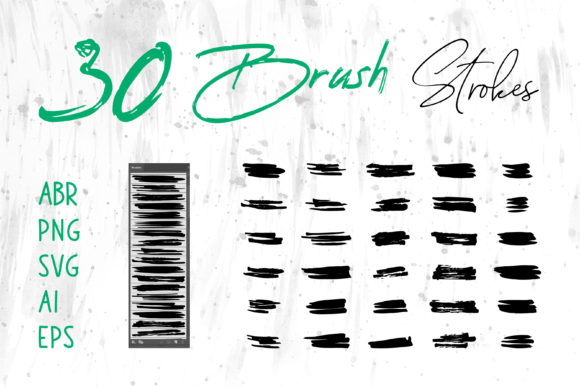
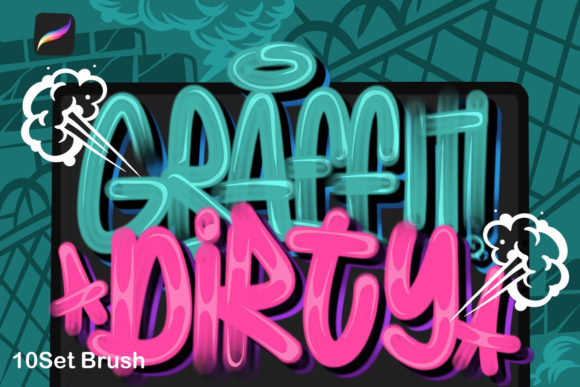
The set includes ten amazing graffiti brushes, each engineered to handle specific aspects of street art creation. For instance, standard digital brushes often struggle with the concept of "drips." In a generic set, a drip might be a separate stamp you have to manually place. In a more advanced, analog-inspired set like this, the drips are integrated into the brush dynamics, reacting to the speed and angle of your Apple Pencil. This allows for a perfect possibility of creation where the artist can focus on the flow of the lettering rather than constantly switching tools to add realistic imperfections. The inclusion of splashes and tool templates further reduces the need for external assets, streamlining the design process for posters, flyers, and complex lettering designs.
Evaluating Fit: When This Tool Set Shines
Determining whether the Graffiti Dirty Brush is the right addition to your library depends largely on your intended output and your comfort level with digital manipulation. This tool set is particularly well-suited for artists who need to produce high-fidelity mockups or finished illustrations that require the grit of the streets without the logistical hassle of finding legal walls or managing ventilation.
- Lettering and Typography: If your primary focus is wildstyle or bubble lettering, the variable pressure sensitivity captured in these brushes allows for thick-to-thin transitions that mimic the valve mechanics of a real spray cap.
- Commercial Design: For designers creating flyers, album covers, or brand assets that need an "urban" edge, these brushes provide an authentic texture that stock photos often fail to convey convincingly.
- Concept Art and Storyboarding: Artists working in entertainment design can use the splashes and dirty textures to quickly establish mood and atmosphere in environment concepts.
The strength of this set lies in its versatility. You can use it to make lettering designs that look like they were painted yesterday or design anything without any limitations as you wish. Because the brushes are optimized for the iPad Pro and Apple Pencil, they take full advantage of the hardware's tilt and pressure capabilities, offering a responsive experience that feels less like drawing on glass and more like manipulating pigment.
Tradeoffs and Limitations to Consider
While the Graffiti Dirty Brush offers significant advantages for specific styles, it is not a universal solution for every digital artist. A balanced evaluation requires acknowledging the tradeoffs involved in using highly textured, specialty brushes.
First, there is the learning curve associated with analog emulation. Unlike a standard round brush that produces a predictable line every time, a "dirty" brush introduces randomness. For artists accustomed to total vector-like control, this unpredictability can initially feel frustrating. It requires a shift in mindset where the artist learns to work with the texture rather than fighting against it. If your workflow demands pristine, scalable vectors for large-format printing, a raster-based brush set in Procreate may not be the final step in your process, though it serves as an excellent starting point for concepts.
Furthermore, the file size and performance can be a consideration. High-resolution textures that simulate real paint granulation require more processing power. On older iPad models, using multiple layers with these complex brushes might lead to slight latency, whereas simpler, algorithmic brushes remain lightweight. Additionally, while the set includes ten amazing brushes, a comprehensive street art workflow might still require supplementary tools for background preparation or specific lighting effects that fall outside the scope of paint application.
Comparison with Alternative Approaches
To make an informed decision, it is helpful to compare the Graffiti Dirty Brush approach against other methods of achieving similar results.
Option A: Photo Overlays and Blending Modes
Many designers achieve a graffiti look by painting with solid colors and then overlaying photos of cracked walls or rusted metal using blending modes like "Multiply" or "Overlay."
Pros: Extremely realistic backgrounds; total control over the texture placement.
Cons: Can look disjointed if the lighting on the paint doesn't match the photo; lacks the organic integration of drips and splatters within the stroke itself.
Verdict: Better for photorealistic composites, but less efficient for pure illustration.
Option B: Vector-Based Street Art Tools
Software like Adobe Illustrator offers vector brushes that can simulate spray paint.
Pros: Infinitely scalable; clean lines suitable for logo design.
Cons: Often lacks the "dirty" nuance; can appear too polished and artificial compared to the gritty aesthetic of real street art.
Verdict: Ideal for logos, but insufficient for artistic pieces requiring texture depth.
Option C: Specialized Analog-Style Sets (Graffiti Dirty Brush)
This middle ground utilizes scanned handmade resources to drive digital behavior.
Pros: Authentic texture integrated directly into the stroke; efficient workflow with built-in drips and splashes; captures the soul of analog art.
Cons: Raster-based (resolution dependent); requires a tablet with pressure sensitivity.
Verdict: The superior choice for digital painters and illustrators seeking authenticity without leaving the digital realm.
Making the Decision: Is It Right for You?
Ultimately, the decision to invest time in mastering the Graffiti Dirty Brush comes down to your artistic goals. If you are an artist who values the imperfection of human creation and seeks to replicate the visceral feel of spray paint on a digital screen, this tool set offers a distinct advantage over generic alternatives. The fact that it was developed by artists who study what works and what does not ensures that the brushes behave in a way that respects the traditions of the medium.
However, if your work relies heavily on geometric precision, flat design trends, or requires infinite scalability for massive billboards, you may find that a hybrid approach—using these brushes for texture and vector tools for structure—is more effective. There is no single "best" tool, only the best tool for the specific job at hand. For those creating posters, flyers, or personal artwork where character and grit are paramount, the ability to access handmade resources analog style within Procreate provides a powerful competitive edge.
In the evolving landscape of digital art, tools that honor the history of their physical counterparts while leveraging modern convenience are rare. The Graffiti Dirty Brush represents a thoughtful synthesis of old-school technique and new-school technology. By understanding its strengths in texture and dynamics, as well as its limitations regarding scalability and control, you can determine if it aligns with your creative vision. Whether you are a seasoned muralist looking to sketch remotely or a graphic designer aiming to inject some urban soul into a corporate project, evaluating these factors will ensure you choose the resources that truly empower your creativity.